
FieldPro by Auboros
Field service management built for the job site
A mobile app for field technicians and their managers. Schedule jobs, capture digital compliance forms, log time and materials, and sync everything back to your Odoo or MYOB Acumatica ERP the moment a job is finished.
- iOS & Android
- Any device
- Offline-ready
- Works without signal
- Odoo + Acumatica
- Bidirectional sync
Works with Odoo 16, 17, 18, 19 · Odoo 20 support in progress · MYOB Acumatica · No app store required · Australia & NZ
Everything your field team needs. Nothing they don't.
FieldPro works on any device, syncs with your existing ERP, and keeps technicians productive whether they have signal or not.
Any device, any browser
Install directly from the browser. Works on iPhone, Android, tablet, or desktop. No app store approval delays.
Works offline
Technicians keep working in basements, remote sites, and dead zones. Data syncs automatically when signal returns.
ERP-connected
Bidirectional sync with Odoo and MYOB Acumatica. Jobs, timesheets, expenses, and materials all land in your ERP automatically.
Built-in compliance
Six pre-built Australian compliance templates included. Create unlimited custom worksheets with signatures, photos, and ratings.
Odoo Field Service, extended
Built on Odoo Field Service, extended for the job site
On Odoo 16 to 19, FieldPro works with the Odoo Field Service module rather than replacing it. Odoo 20 moves Field Service into the Planning app, and FieldPro support for Odoo 20 is in progress as at October 2026. Scheduling, timesheets, materials and invoicing stay in Odoo where your office team already works. FieldPro adds what the standard mobile experience misses on real sites: offline capture that survives dead zones, safety and compliance worksheets, photo evidence, and workflows a technician will actually follow. Running MYOB Acumatica instead? FieldPro syncs jobs, timesheets and materials both ways.
Mobile app
One app. Every job detail captured on-site.
Work order management
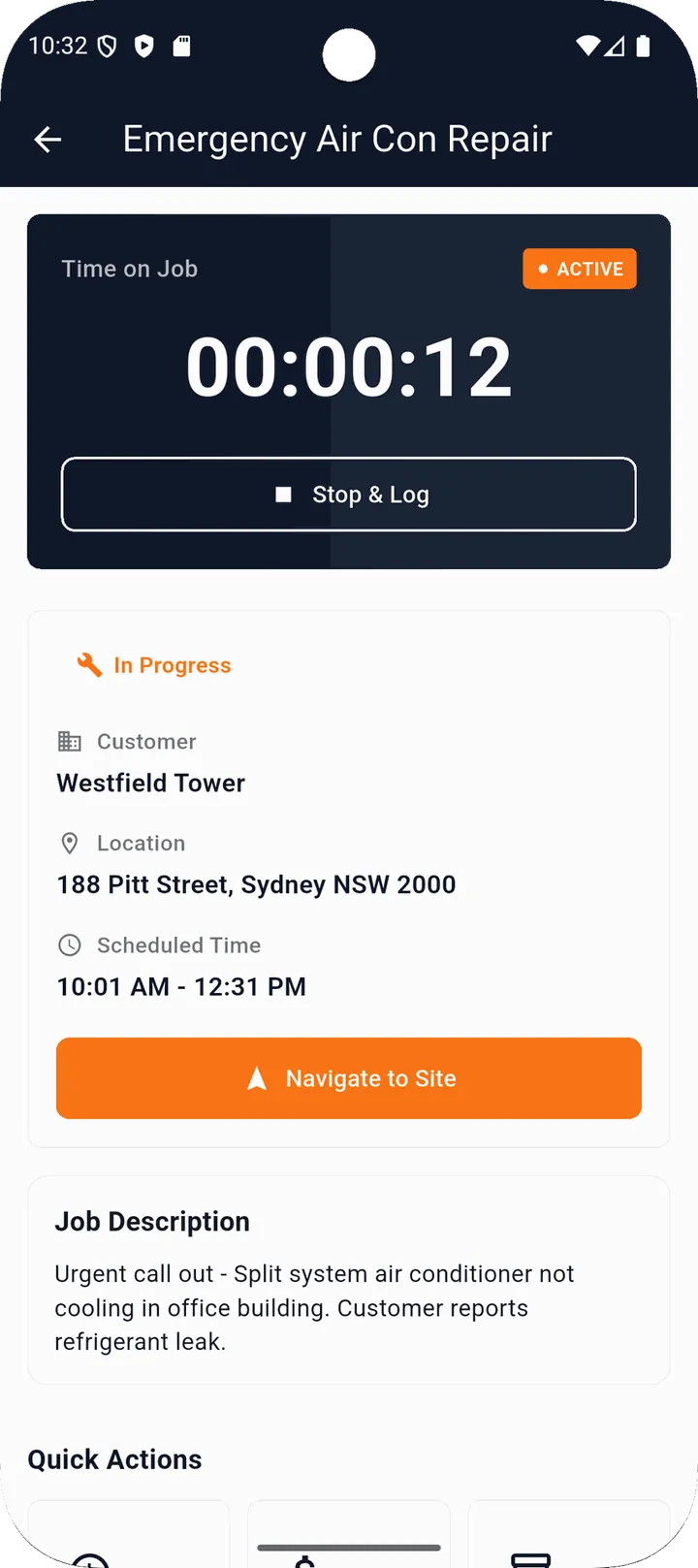
Search, filter by stage or status, sort by date. Tap to see full job details including customer, address (opens in Maps), and complete job history.
Time, expenses, and materials
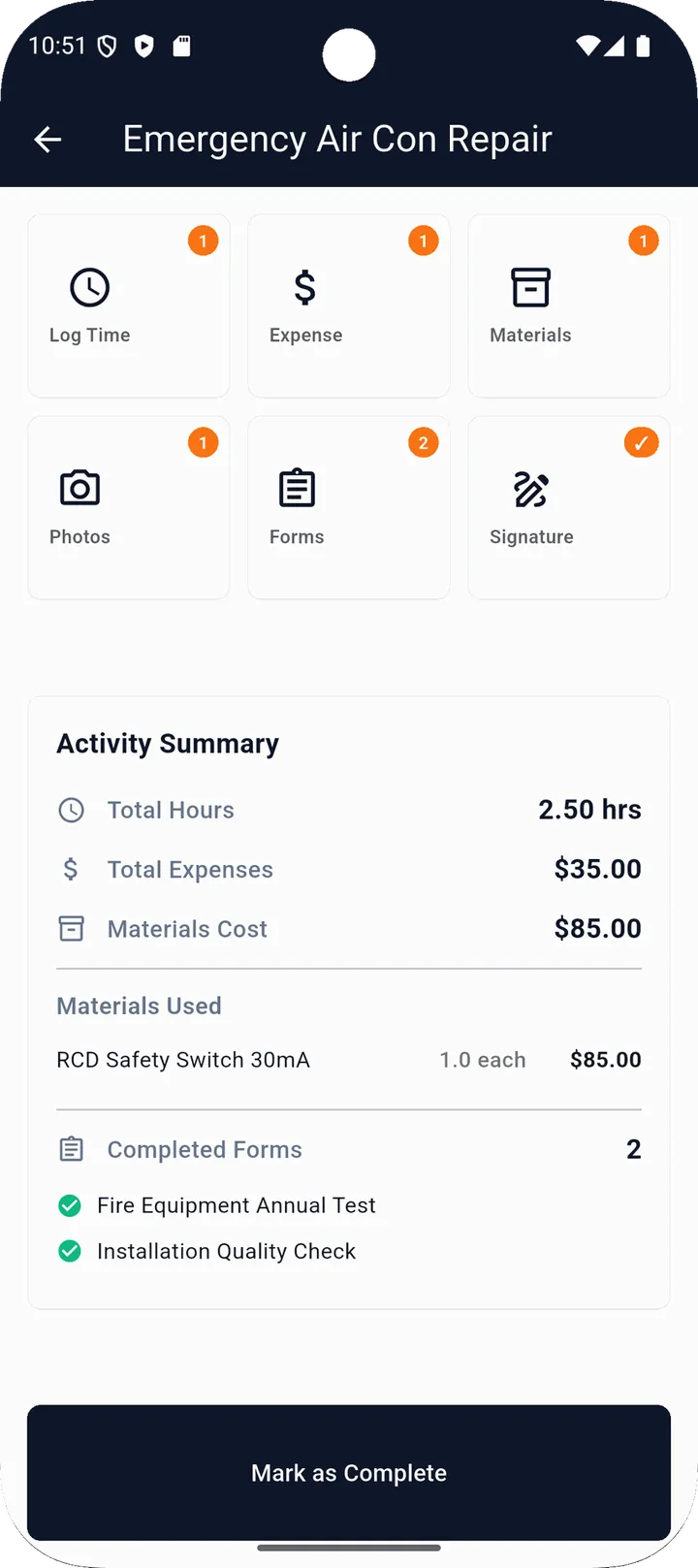
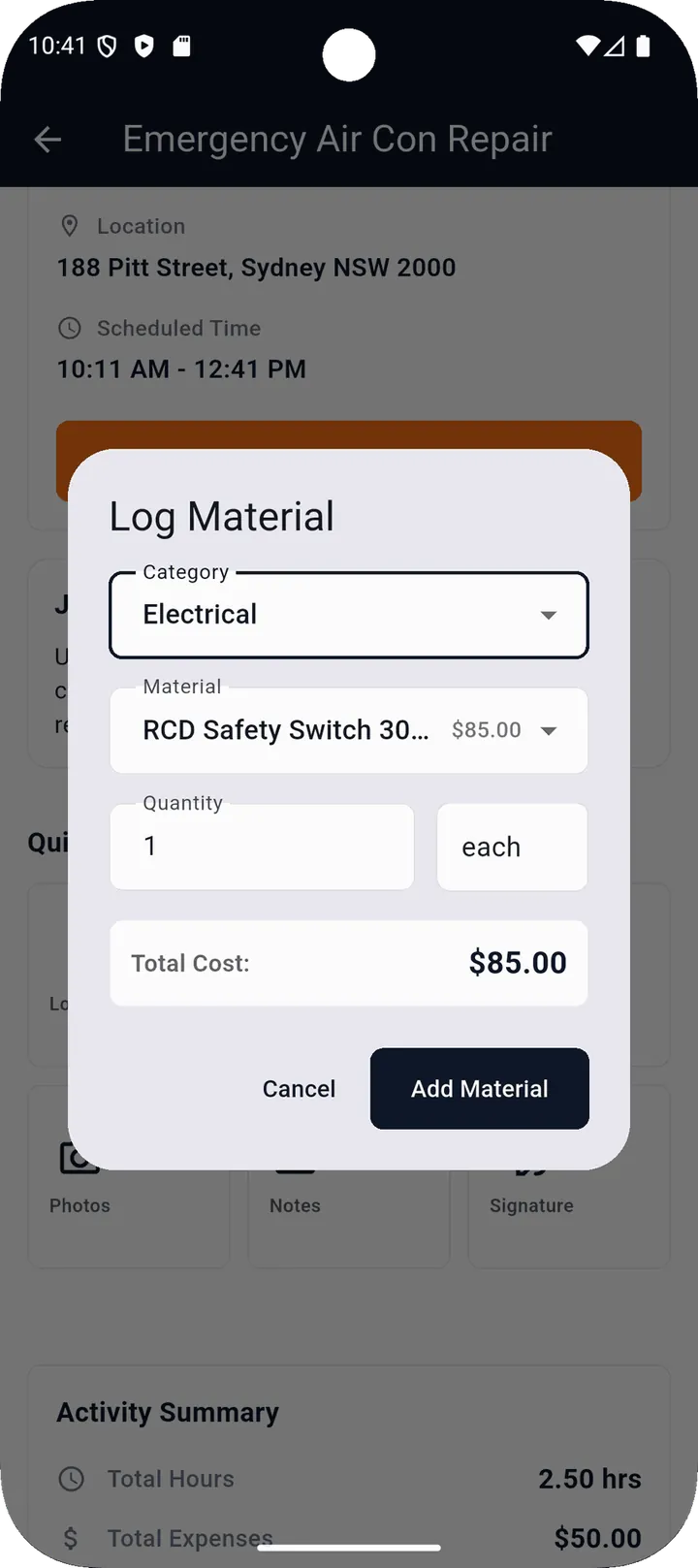
Log hours with a built-in timer. Record expenses by category. Search the product catalogue and scan barcodes to add materials used on-site.
Photos, video, and signatures
Before/after photos, on-site video, customer signatures on screen. All queued when offline and uploaded automatically on reconnection.
Scheduling calendar
Day, week, and month views. Managers see a side-by-side team calendar. Drag to reschedule, reassign with handover notes.
Digital worksheets
Compliance forms that actually get filled in
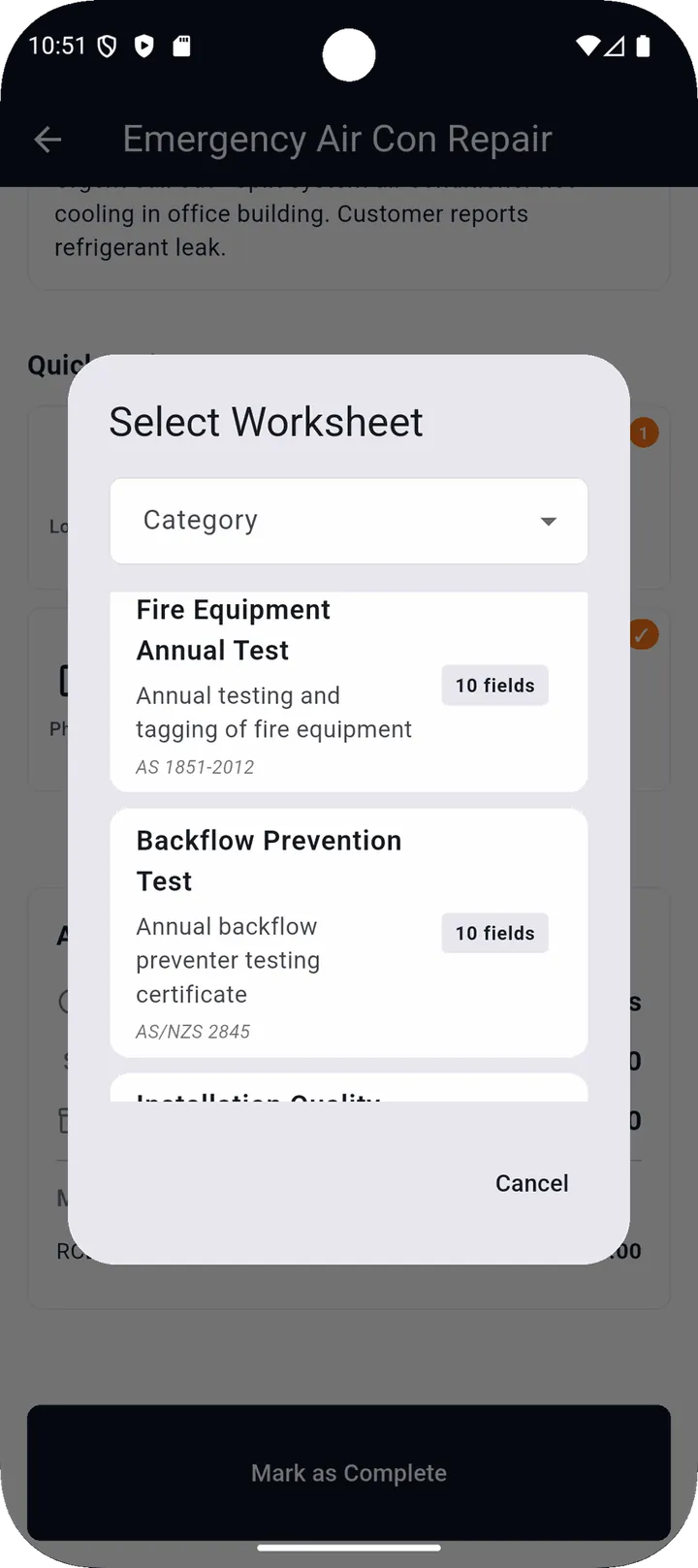
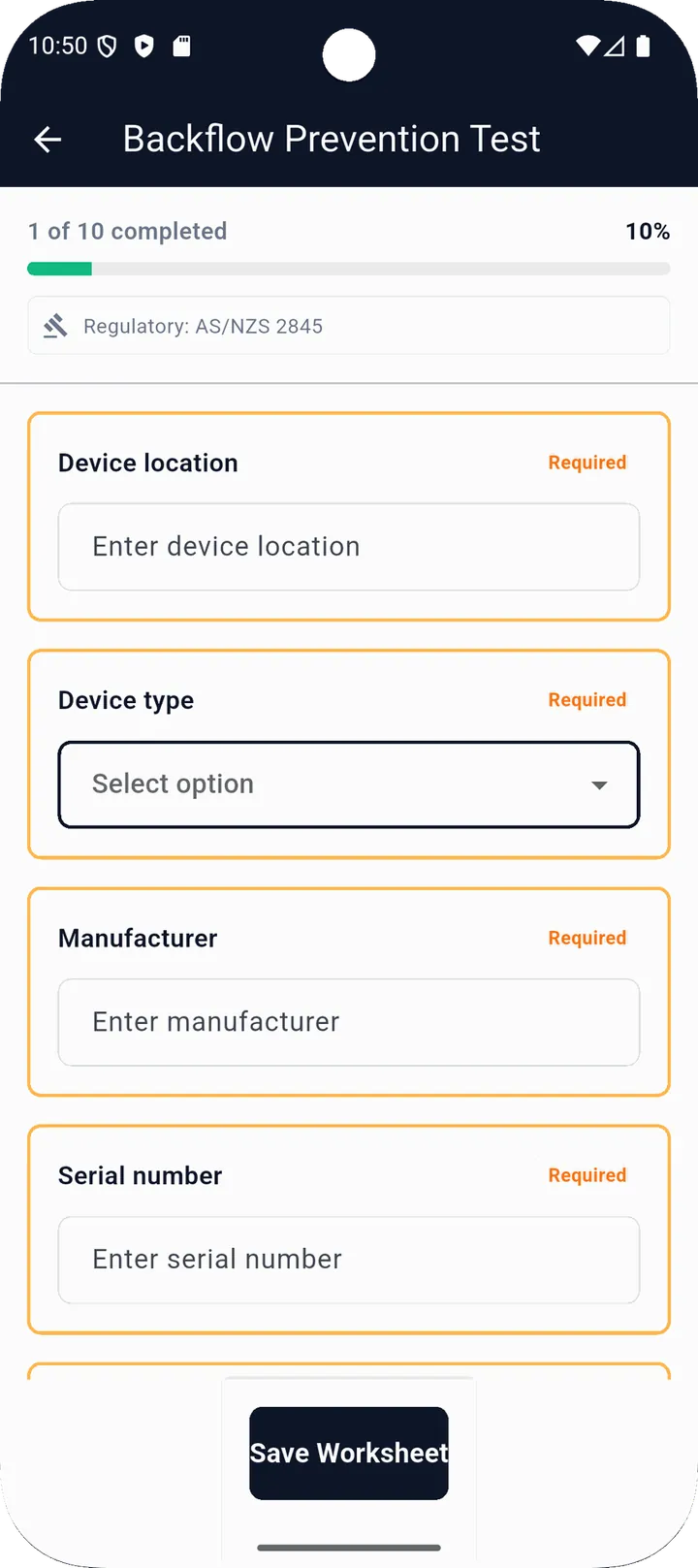
Replace paper-based inspection forms with digital worksheets. Progress tracking keeps everyone accountable. Completed forms generate a PDF report that goes straight to your ERP.
Plus unlimited custom templates via the built-in form builder: 11 field types including text, photo, signature, rating, dropdown, checkbox, and date.
ERP integration
Connects to Odoo and MYOB Acumatica
FieldPro pulls data from your ERP and pushes results back the moment a job is completed. No manual exports. No double-entry.
What syncs from your ERP into FieldPro
- ✓ Projects and workflow stages
- ✓ Work orders and tasks (real-time)
- ✓ Employees and technician roster
- ✓ Products and materials catalogue
- ✓ Worksheet templates (bidirectional)
What your ERP receives when a job completes
- ✓ Work order moved to Done instantly
- ✓ Actual start and end timestamps
- ✓ Individual timesheet entries with hours
- ✓ Itemised expense breakdown by category
- ✓ Materials used count
- ✓ PDF worksheet report attached automatically
Real-time sync
ERP changes appear in FieldPro instantly
Fault tolerant
Automatic retries, per-record error isolation
Lightweight connector
Small module on your ERP. No heavy modifications.
Access control & security
Three roles. Right access for everyone.
Technician
- ✓ View and action assigned jobs
- ✓ Start and complete work orders
- ✓ Log time, expenses, materials
- ✓ Fill worksheets and capture media
Manager
- ✓ Everything Technician can do
- ✓ View all company work orders
- ✓ Create and edit work orders
- ✓ Reassign jobs between technicians
- ✓ Dashboard and team calendar
Admin
- ✓ Everything Manager can do
- ✓ Manage team and invitations
- ✓ Build and edit worksheet templates
- ✓ Configure ERP integration
- ✓ Company settings and branding
Your data stays yours
Every company operates in a fully isolated environment: jobs, worksheets, media, and team data are completely separate from every other FieldPro customer. Encrypted authentication with session expiry, role-based access enforced at every layer, and secure file storage with time-limited access URLs.
FAQ
FieldPro questions, answered straight
Does FieldPro replace the Odoo Field Service module?
No. On Odoo 16 to 19, FieldPro runs alongside Odoo Field Service and keeps Odoo as the system of record. Your office keeps scheduling and invoicing in Odoo; your field team gets a faster, offline-capable app on site.
What happens to FieldPro now Odoo 20 has merged Field Service into Planning?
Odoo 20, released in September 2026, discontinues the standalone Field Service app and moves its features into the Planning app. FieldPro works with Odoo 16, 17, 18 and 19 today, and Odoo 20 support is in progress as at October 2026. If you are planning a move to Odoo 20, talk to us first so your field workflows are tested before you upgrade.
Does FieldPro work offline?
Yes. Technicians can capture jobs, timesheets, photos and forms with no coverage, and everything syncs when the device is back online.
Does FieldPro work with MYOB Acumatica?
Yes. FieldPro syncs bidirectionally with MYOB Acumatica as well as Odoo, so jobs, timesheets, expenses and materials land in your ERP automatically.
What does FieldPro cost?
Pricing depends on team size and how your ERP is set up, so we quote it rather than publish a number that fits nobody. Book a demo and you will get a straight answer in the first conversation.
Ready to see FieldPro in action?
We'll walk you through a live demo using your own workflows. No generic slides, just a real look at how it connects to your Odoo or MYOB Acumatica instance.
Brisbane-based. Serving Queensland, NSW, and Victoria.